About Switchback
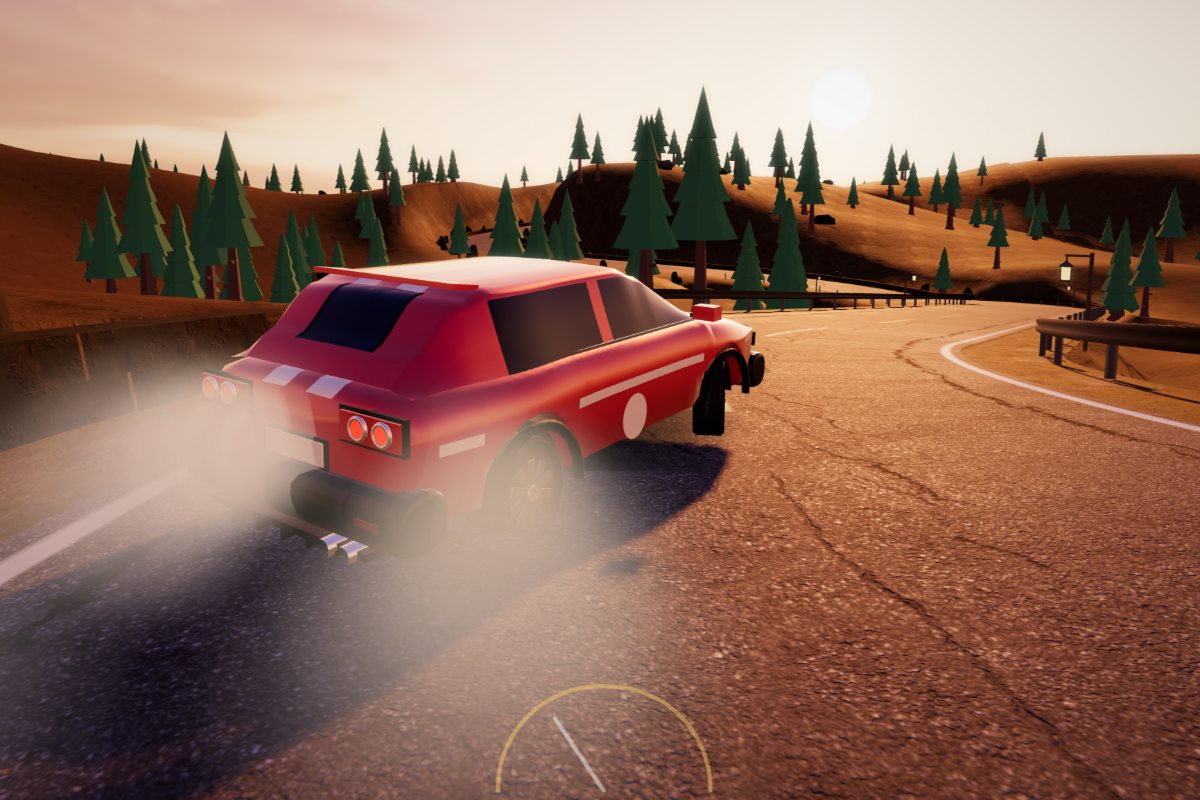
Switchback is a free 3D hill climb racing game that you play in the browser, on a desktop, a tablet or a phone. You inherit the Mule, a battered two-tone pickup with a primer-grey door, a rusty bed and a cracked windscreen, and you drive it up the old mining road of the Calder Range, one stage at a time. The road zig-zags up the face of a single mountain: each leg climbs across the slope, a hairpin turns it back the other way, and the road you have already driven drops away below you. The camera rides beside the truck on the valley side, so every crest, bump and landing is seen in profile, the way the genre is meant to be read.
It belongs to the browser hill-climb family that Hill Climb Racing made famous, and it keeps that family's core: two pedals, a truck that can flip, fuel cans to reach and a garage of upgrades. What Switchback adds is one real mountain instead of an endless flat strip. The roads are cut into a red-rock mountainside at golden hour, with long shadows thrown across the dirt by the fence posts, dry golden grass on the benches, oaks on the slopes and guard rails round the hairpins. The hairpins are part of the challenge too: the truck steers itself round them, but you have to arrive slowly enough to make the turn.
Mechanic Ines Ochoa runs the garage at Low Camp. She tells you, in words, what ended each failed run and how to fix it, and she fits every part you buy. Each part shows on the truck: taller tyres with deeper lugs, red coilovers that compress over every bump, a hood scoop and then chrome stacks, jerry cans in the bed and then a long-range tank. Every tier you fit also repaints one panel, so the Mule slowly turns from rust and primer back into a proper brick-red and cream pickup.
How to Play Switchback
Keyboard
- Gas: hold the right arrow or D. The Mule is rear-wheel drive, so full gas on a steep grade lifts the front wheels.
- Brake and reverse: hold the left arrow, A or Space. Held when the truck has stopped, the brake becomes reverse.
- In the air: gas tips the nose up and brake tips it down. Holding both does nothing in the air.
- Pause and camera: P or Escape pauses, R restarts the stage from the pause card, C changes the camera distance and M mutes the sound.
- Gamepad: the right trigger is gas, the left trigger is brake and Start pauses.
Touch screens
- Two large pedals sit at the bottom of the screen: BRAKE on the left and GAS on the right. You can hold both at once, and Settings can swap their sides.
- Assist is on by default on a touch screen. It levels the truck a little in the air and brakes for the hairpins for you.
A stage, step by step
- The stage card: shows the stage's length, its hairpins and fuel cans, its par time and your best score, distance and stars. Prev and Next pick any stage you have opened.
- The climb: drive from the start camp to the finish camp. The fuel gauge is top left and pulses when the tank is nearly empty. The strip at the top shows how far you have come, with a red tick for every fuel can.
- The end: a climb ends when you reach the camp, when the truck flips, or when the tank is dry and the truck stops. A failed climb still keeps its coins and its distance.
- The results: distance, survey flags, fuel left and time make up a score out of 1,000, and you earn up to three stars: one for reaching camp, two with all three flags, three with the flags inside the par time.
Features
- Real suspension: four wheels on four springs, so the truck squats on the gas, noses down under the brake and soaks up or bounces over every bump.
- One mountain, stage by stage: switchback roads with hairpins, crests, cattle grids, logs, rocks and rock steps, each stage ending at a named camp higher up.
- Garage: Tyres, Suspension, Engine and Tank, three tiers each in the first chapter, every part visible on the truck.
- Coins: pick them up on the road and earn more for new distance, first clears and new stars.
- Saves in your browser: Continue takes you back to the stage you were on.
Tips
- Let off the gas just before the top of a crest. Flying over it flat out lifts the nose too far.
- If the nose keeps rising on a steep grade, feather the gas instead of holding it. Rear-wheel drive pushes the nose up.
- Watch the red ticks on the strip at the top. If the next can is far away, drive smoothly instead of flat out.
- Brake early for a hairpin. The yellow roadside sign stands 55 metres before the turn, which is plenty of room to slow down to the 25 km/h it shows.
- Suspension is a good first upgrade: more travel means fewer jolts that throw the truck off balance.
Frequently Asked Questions
How do I keep the truck from flipping in Switchback?
Watch the nose. On the ground, too much gas on a steep grade lifts the front wheels, so ease off when the nose comes up. In the air, GAS tips the nose up and BRAKE tips it down, so you can line the truck up with the slope before it lands. The run ends as Flipped when the roof or the bed rail touches the ground, or when the truck stays upside down in the air. The Assist setting, on by default on touch screens, helps level the truck in the air.
How do fuel cans work?
The stock Mule holds 60 units of fuel. Full throttle burns 1 unit a second and the idling engine another 0.12, so a full tank is about a minute of gas. Every red can on the road refills the tank to full, and the progress strip at the top of the screen marks where the cans are. If the tank runs dry and the truck stays stopped for two and a half seconds, the run ends as Out of fuel. You still keep the coins and the distance you reached.
What happens at a hairpin?
A yellow roadside sign stands 55 metres before every hairpin and shows the safe speed, 25 km/h. The same sign appears on the screen once you are within 40 metres of the turn, and it pulses while you are too fast. The truck steers round the hairpin by itself, so your job is the speed. Arrive faster than 25 km/h and the truck slides wide into the guard rail and drops to about 11 km/h. It never crashes there, but you lose the speed you need for the next climb. With Assist on, the truck brakes for the hairpin for you.
What do the garage upgrades do?
There are four parts, each with three tiers in the first chapter, bought with the coins you collect and earn for distance and stars. Tyres add 8 percent grip and 3 centimetres of radius per tier. Suspension adds 14 percent damping, 4 centimetres of travel and a little lift. Engine adds 16 percent torque and 1.4 metres a second of top speed. Tank adds 15 units of fuel. Each part shows on the truck, from red coilovers to a hood scoop and jerry cans in the bed, and every tier you fit repaints one rusty or primer-grey panel.
Does Switchback save my progress?
Yes. The stages you have opened, your best score, distance and stars on each, your coins and every part you have fitted are stored in your browser. The game saves at every results screen, every purchase, every settings change and when you leave the page. A climb in progress is never saved, so leaving mid-climb starts that stage again. Continue on the title screen takes you back to your current stage.